Free Metronome App for Musicians
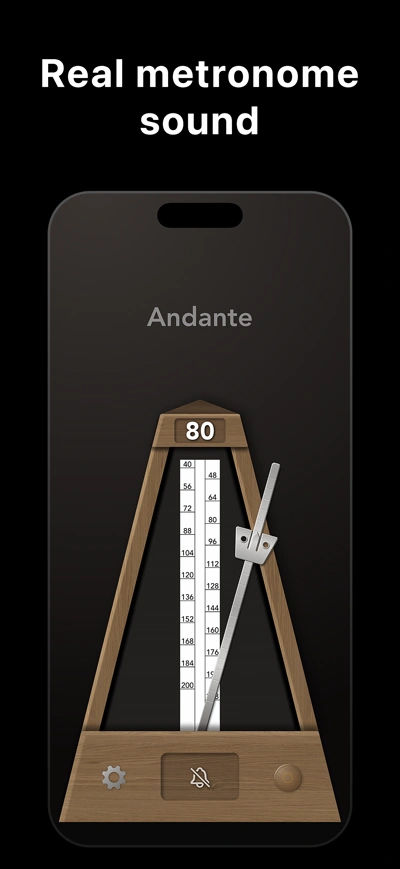
True Metronome is a free metronome app for iPhone, iPad, Mac, and Android. Set any tempo from 20–400 BPM with a physics-based pendulum, Italian tempo markings, and natural reverb sound. Used by musicians since 2012.
Free on iOS, Mac & Android


Trusted by classical musicians since 2012.
From music school to concert hall.
Features
Crafted for Musicians
Every detail designed to help you practice better.
Perfect Timing
Frame-accurate audio engine ensures rock-solid timing. Never miss a beat.
Natural Sound
Authentic mechanical ticks that never sound the same twice — slight natural variety like a real metronome, but always precise.
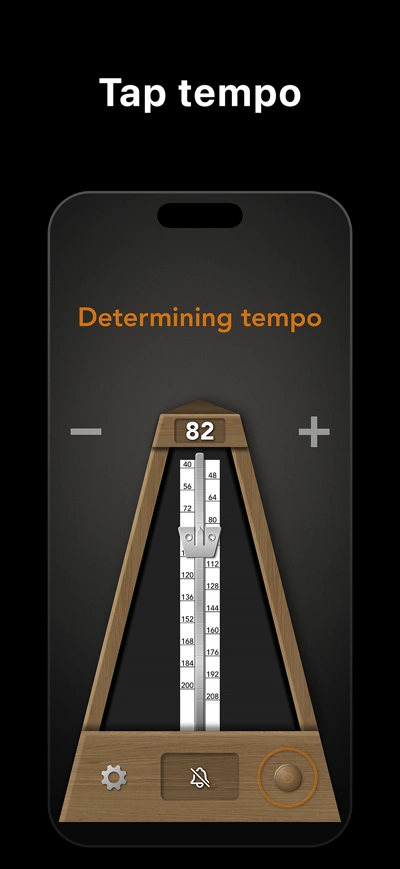
Tap Tempo
Find the pulse by tapping. Five free uses per day in the apps, unlimited with Pro. Try free browser Tap Tempo with no daily limit.
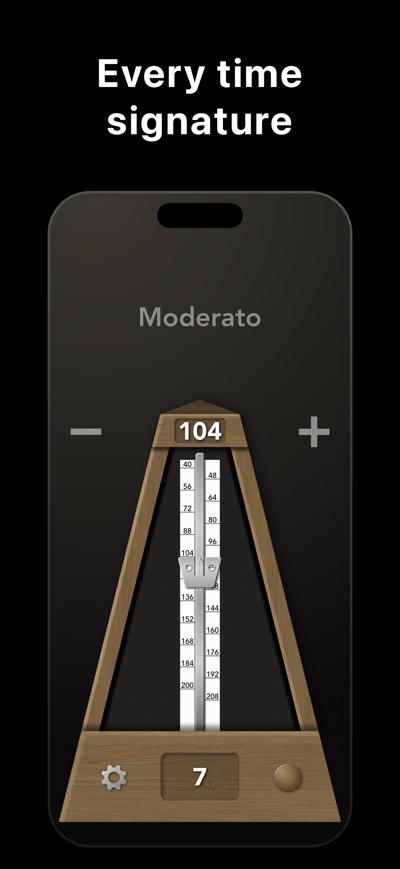
Time Signature
Accent bell marks the downbeat. Set 1 to 13 beats per bar.
Practice Tracking
Track your practice time. See daily, weekly, and monthly progress.
Elegant Skins
Beautiful metronome designs to personalize your experience.
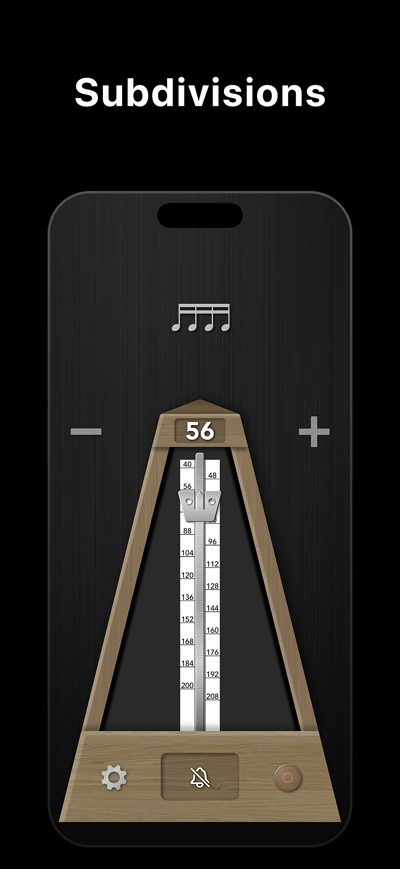
Subdivisions (Pro)
Hear eighths, triplets, sixteenths, and more between the main beats. Explore subdivisions and rhythm patterns.
Tempo Detection (Pro)
Estimate BPM from clear, steady beats through your microphone. Readings can be unstable or incorrect; check the tempo with tapping or a metronome.
Presets
Save and load metronome configurations for each piece in your repertoire.
Pendulum Animation
Physics-based pendulum that moves exactly like a real mechanical metronome.
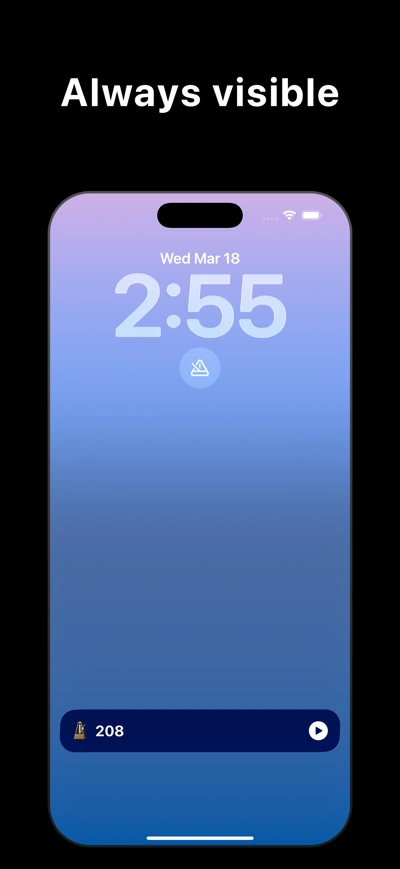
Widgets & Live Activities
Lock Screen widgets, Home Screen widgets, and Dynamic Island Live Activities on iOS. Control your metronome without opening the app.
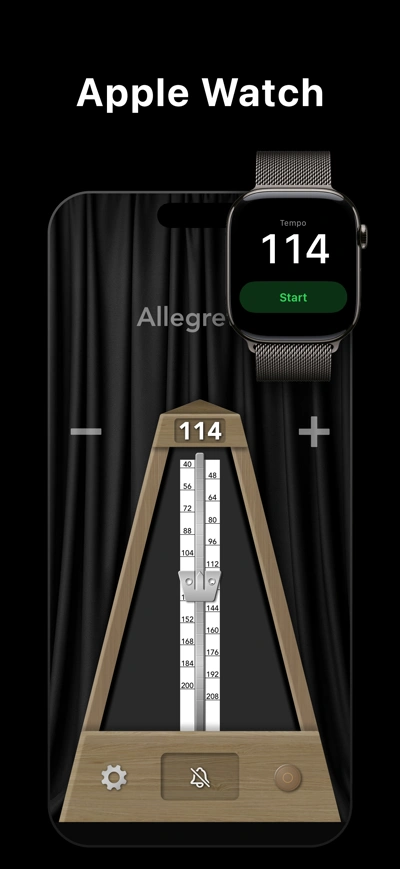
Apple Watch
Control your metronome right from your wrist. Start, stop, and change tempo without reaching for your phone.
20 to 400 BPM
From slow practice to fast passages, with Italian markings through Prestissimo. With Pro, Tempo Trainer increases the tempo after a set number of beats, up to your target.
Platforms
Available Everywhere
Practice on your favorite device.
iPhone & iPad
Full-featured iOS experience
- Apple Watch companion
- Siri voice control
- Live Activities & Dynamic Island
- Lock Screen & Home Screen widgets
- Background playback
Mac
macOS application
- Optimized for desktop
- Keyboard shortcuts
- Click-to-set tempo
- Retina graphics
- Resizable window
Android
Free metronome app for Android
- Free download on Google Play
- Low-latency C++ audio engine
- Pendulum animation
- Background playback
- Home screen widget
Web
No download required
- Works in any modern browser
- Sample-accurate timing
- Tap tempo
- Pendulum animation
- Free, instant access
Reviews
What Musicians Say
"The controls are intuitive, and I especially like being able to adjust the tempo with the slider—it makes changing the BPM quick and effortless. The ability to keep the metronome running in the background is also a huge plus, since I can continue practicing while using other apps."
App Store Excerpt
"Love it! Does what a metronome should and sounds like the real one. Nice that the free version already covers the basics."
App Store
"As a teacher, I’ve tried various metronome apps and I use this one above any others. It’s straightforward, without gimmicks and identical to the traditional metronome I have on the shelf."
App Store Excerpt
"This metronome is amazing, looks beautiful and functionality is perfect. I can adjust the tempo easily and the tone is easy to hear when I am practicing my flute or piano."
App Store Excerpt
"This is the only metronome app whose sound I can tolerate for long practice sessions. I play the piano."
App Store
"Just what I was looking for. A true, authentic sounding metronome app. It’s simple, easy to use and sounds great! Thanks for this."
App Store
"Works well, does the trick, and a one time purchase cost, instead of those leaching subscriptions! Fantastic!"
App Store
"One of its kind and the best one found on App Store. Highly recommended."
App Store
"One of my favorite features is the bell on the first note; it’s easy to see the exact measure that things start going wonky. I also appreciate that the tempos on the metronome are labeled with both the number of beats per minute and the corresponding word for that tempo."
App Store
Why True Metronome
The sound and feel
of a real metronome.
Natural mechanical ticks. A realistic pendulum. Free to start, with a one-time Pro upgrade.
Compare the native apps. Scroll across on smaller screens.
| What matters | True MetronomeFree to start | Soundbrenner | Pro Metronome | TonalEnergy |
|---|---|---|---|---|
| Metronome sounds | Natural mechanical soundRecorded ticks with subtle tonal variation from beat to beat | Synthetic sounds | Synthetic sounds | Synthetic sounds |
| Visual beat | Physics-based pendulumFamiliar movement to follow as you play | Customizable visual effects | Simple animation | Simple animation |
| Microphone BPM estimate | Yes* | No | No | No |
| Practice tools | Gradual tempo increase (Pro)Free practice statistics and world rankings | Goals, streaks, and statistics; gradual tempo changes with Plus | Session timer; rhythm training and tempo automation with Pro | Goals, streaks, practice history, and automatic tempo changes |
| Free version | Free core metronomeNatural sound and pendulum included | Free core metronome | Free with in-app purchases | Paid upfront |
| US App Store pricing | $9.99 onceOptional Pro upgrade No subscription |
Plus subscription; check current in-app plans | Listed plans: $0.99/month or $3.99/year; other purchases listed | $6.99 upfront |
| Phone, tablet & desktop | iPhone/iPad, Mac, Android | iPhone/iPad, Mac, Android | iPhone/iPad, Android | iPhone/iPad, Android; separate Mac/Windows app |
* Requires True Metronome Pro. Works best with clear, steady beats. Verify the result.
Based on published native-app features, checked October 28, 2026. Prices are from the US App Store in USD. Features and paid tiers can differ by platform.
Hear it for yourself.
Try the free browser metronome, or get the app for your device.
Sources and pricing notes
- True Metronome: US App Store and Google Play.
- Soundbrenner: official app guide, US App Store, Google Play, and planned microphone tempo detection.
- Pro Metronome: US App Store and Google Play.
- TonalEnergy: US App Store, feature overview, iOS user guide, and Mac/Windows edition.
Soundbrenner’s public listing shows several Plus prices without billing periods, so a monthly price cannot be verified from that listing. Pro Metronome also lists a $3.99 “Pro Version” purchase without specifying its duration. Check the in-app offer before buying.
TonalEnergy’s Mac/Windows edition has a separate $9.99 license. Prices and offers can change and may differ by region and platform. These are documentation-based comparisons, not hands-on performance tests.
BLOG
Practice Tips for Musicians
How to Practice with a Metronome
Step-by-step guide to effective metronome practice. Learn when to use a metronome, how to start slow, and build speed.
Read articleItalian Tempo Markings: Complete Guide
Every Italian tempo marking explained with BPM ranges, pronunciation, and musical context.
Read articleHow to Develop Rhythm and Timing
Practical exercises to improve your sense of rhythm. Clapping drills, subdivision practice, and metronome techniques.
Read articleWhat Are Subdivisions?
Understand quarter, eighth, triplet, and sixteenth note subdivisions and how they improve your timing.
Read articleHow to Practice Scales with a Metronome
Subdivision method, BPM targets for exams, rhythmic variations, and plateau-breaking techniques for scale practice.
Read articleMetronome Tips for Piano Practice
How to use a metronome for scales, Hanon exercises, hands-separate practice, and repertoire.
Read articleGoogle Metronome vs a Real Metronome
Why a browser metronome can land 50–80ms late — and how native apps fix the audio latency that throws off your timing.
Read articleMetronome Tips for Guitar Players
Chord changes, strumming patterns, fingerpicking, scale runs, and classical guitar technique with BPM targets.
Read articleMetronome Tips for Violin and String Players
Bow distribution, scales, shifting exercises, vibrato development, and orchestra preparation with a metronome.
Read articleFAQ
Frequently Asked Questions
A metronome produces a steady pulse to help musicians practice at a consistent tempo. It is essential for developing rhythmic accuracy, especially in classical music training. Musicians use metronomes to gradually increase speed when learning difficult passages.
Subdivisions divide each main beat into smaller equal parts. Quarter notes give one click per beat, eighth notes give two, triplets give three, and sixteenth notes give four. Practicing with subdivisions helps develop a precise internal sense of rhythm.
Yes. The iPhone, iPad, Mac, and Android apps include the core metronome and five free Tap Tempo uses per day. The optional one-time Pro upgrade adds unlimited Tap Tempo, Tempo Trainer, subdivision and rhythm patterns, microphone BPM estimation, additional skins, and unlimited presets, plus Apple Watch control on iPhone. The free browser metronome includes unlimited Tap Tempo; Tempo Trainer and subdivision patterns are native-app Pro features.
Pro estimates BPM from sound picked up by your device’s microphone. It works best with clear, steady beats. Soft attacks, dense mixes, syncopation, rubato, changing tempos, and half-time or double-time ambiguity can make the estimate unstable or incorrect. Check it with Tap Tempo or by matching a metronome to the music.
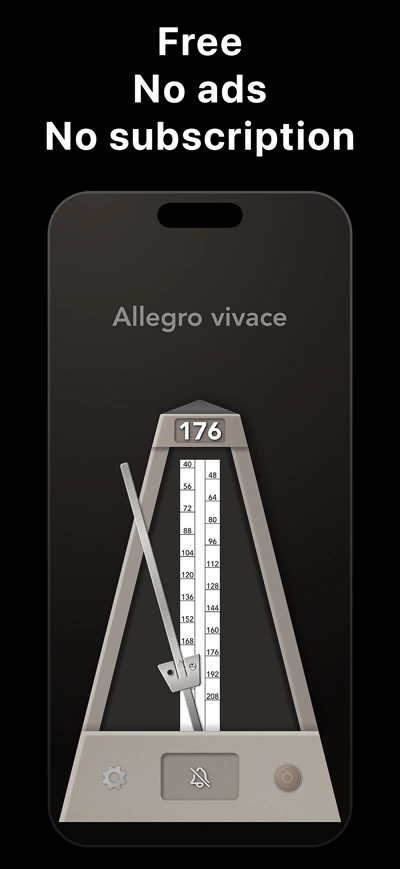
True Metronome supports 20–400 BPM. Italian tempo markings run from Grave (40 BPM) through Largo, Adagio, Andante, Moderato, Allegro, Vivace, and Presto up to Prestissimo (208 BPM), and update automatically as you change the tempo.
Download True Metronome — the current main app for iPhone, iPad, Mac, Apple Watch, and Android. Older True Metronome Lite listings may still appear on third-party sites, but the main app is now free, has no ads, and is the version that receives updates. There is no separate paid or Lite version to choose between.
Start Practicing Today
Join musicians worldwide who trust True Metronome.