True Metronome Pro
Subdivisions.
Find the space between beats.
Hear eighth notes, triplets or sixteenths inside a steady pulse. True Metronome Pro also includes larger tuplets, fixed swing and dotted rhythms, so you can practice the spacing that gives a passage its shape.
In the iPhone, iPad, Mac and Android apps · One-time Pro upgrade
One beat · Different spacing
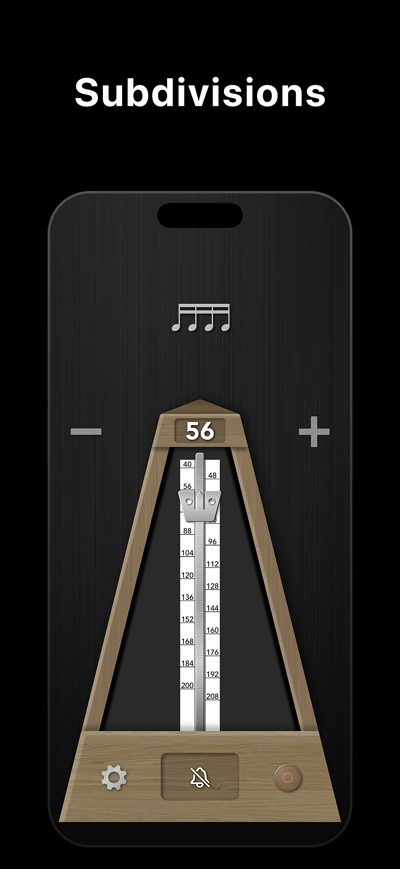
Choose the pattern you need
From a plain beat to eight notes inside it
Open the subdivision picker in the app and choose a pattern. There are 11 choices including the main beat. The extra clicks fit inside each beat; they do not change the displayed BPM.
| Pattern | What you hear |
|---|---|
| Main beat | One click per beat |
| Eighths, triplets, sixteenths | 2, 3 or 4 evenly spaced clicks per beat |
| Quintuplets through octuplets | 5, 6, 7 or 8 evenly spaced clicks per beat |
| Swing | A fixed long–short 2:1 pattern |
| Dotted / double-dotted | Long–short patterns of 3:1 or 7:1 |
Some patterns become unavailable in the picker at higher tempos. Lower the BPM to select them. The app’s fixed swing pattern is a practice reference; musical swing varies with style and tempo.
A short rhythm exercise
Keep 60 BPM. Change what happens inside it.
Use a single note, an easy scale or clapping. Keep the BPM at 60 throughout this exercise. Count four beats per bar and spend four bars on each pattern.
Start with eighth notes
Select eighths and play two notes per beat. Count “1-and-2-and-3-and-4-and.” Let each “and” sit halfway between the main beats.
Move to triplets, then sixteenths
Play three evenly spaced notes per beat with triplets, then four with sixteenths. The click spacing changes; the main pulse remains at 60 BPM.
Return to the main beat
Select the main-beat pattern and keep playing the smaller notes yourself. Listen for the spaces becoming uneven once the extra clicks are gone.
You can also clap subdivisions against the free online metronome at 60 BPM. The browser plays the main beat; selectable subdivision clicks require Pro in the native apps.
What is free, and what needs Pro?
The native apps’ main-beat metronome and accent bell are free. Selecting the additional subdivision and rhythm patterns requires the optional one-time Pro upgrade.
Tap Tempo is also available free in the native apps for up to five uses per day; Pro removes that daily limit. The browser Tap Tempo tool is free with no daily use limit.
Add speed after the spacing settles
Once you can keep the notes even, use Tempo Trainer to raise the BPM gradually. Its interval counts main beats, even when subdivisions are playing.
For counting examples and the distinction between simple and compound meter, read the guide to subdivisions in music.
Subdivision questions
Do triplets make the metronome three times faster?
They produce three clicks inside each beat. At 60 BPM, the main beat still lasts one second; each triplet click is one-third of a second apart. The displayed tempo stays at 60 BPM.
Is swing the same as a triplet subdivision?
No. Triplets give three evenly spaced notes. The app’s fixed 2:1 swing pattern gives two notes, with the second at the final triplet position. Real swing can use a different long–short balance.
Why can’t I select a pattern at a fast tempo?
The picker limits patterns when their shortest click spacing would become too small. Lower the BPM to make more choices available.
Are subdivisions available in the free browser tool?
The browser tool plays the main beat and supports an accent cycle and Tap Tempo. To select audible subdivisions, swing or dotted patterns, use True Metronome Pro on iPhone, iPad, Mac or Android.
Put the pattern into practice
Make it part of your practice
Get True Metronome
Download the free app for iPhone, iPad, Mac or Android. Selectable subdivisions and rhythm patterns require the optional one-time Pro upgrade. No subscription.


Try the free browser metronome for a steady beat and Tap Tempo. Automatic tempo increases and selectable rhythm patterns are available in the native apps with Pro.
